
Sanso
Your Apple Watch records blood oxygen (SpO2) in Apple Health.
Sanso turns that into a day-by-day timeline. No pairing.

Your account keeps only the daily summary.
Minute-by-minute readings stay in Apple Health.
Date
Which day the summary is for
Status
Normal, Check, or Alert
Minimum
The lowest value that day
Alert count
How many readings were under 90%
Check count
How many readings were 90–94%
Sleep
How long you slept that day
The account stores those fields and the time they were updated.
Each day is one of three labels.
95% or above is Normal. 90–94% is Check. A day that included time under 90% is Alert.
95%+
Normal
90–94%
Check
90%
Alert when under
If a reading goes below 90%, you get a note right away. If a night went below 90%, one note arrives after you wake up. Every Saturday at 23:00, a summary of the week arrives.
Sanso is not a medical device. It is not for diagnosis or treatment.
Have you ever looked at
your Apple Watch SpO2 data?
Your Apple Watch records your blood oxygen every night.
Most people never see it.
Sanso brings that data to the surface — every morning.
The app
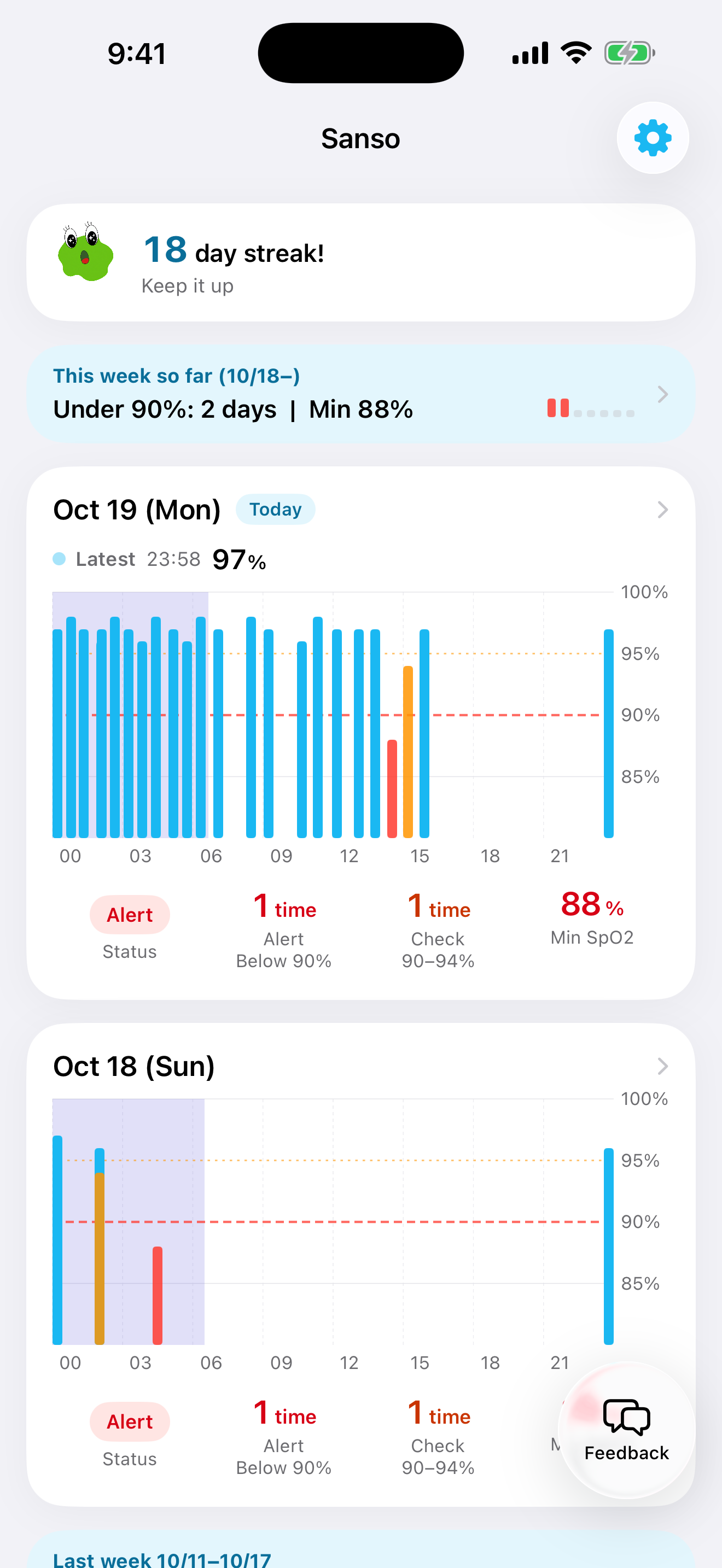
Day-by-day timeline
Each day shows that day's chart and the hours you were asleep.
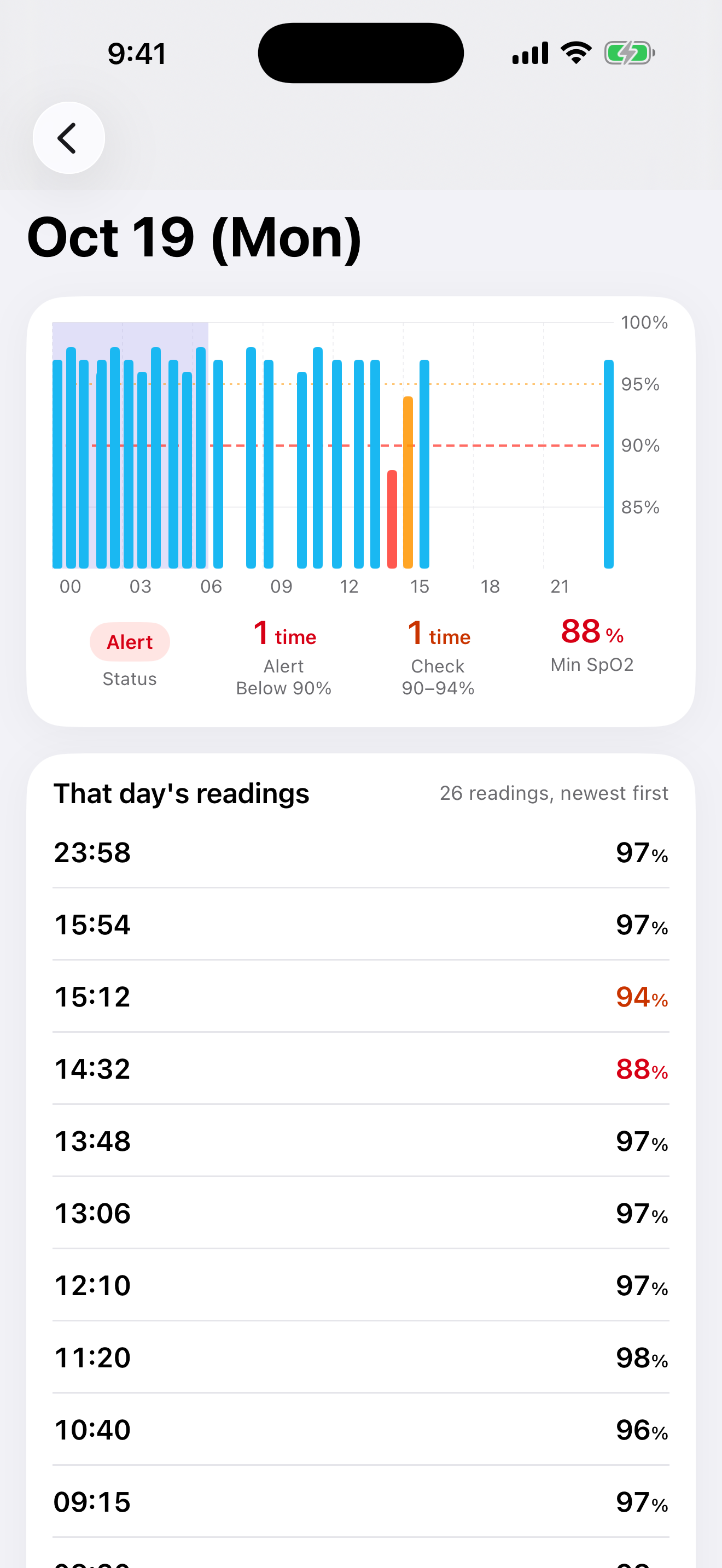
Blood oxygen record
See how SpO2 moved through the day, with the lowest value and readings under 90%.
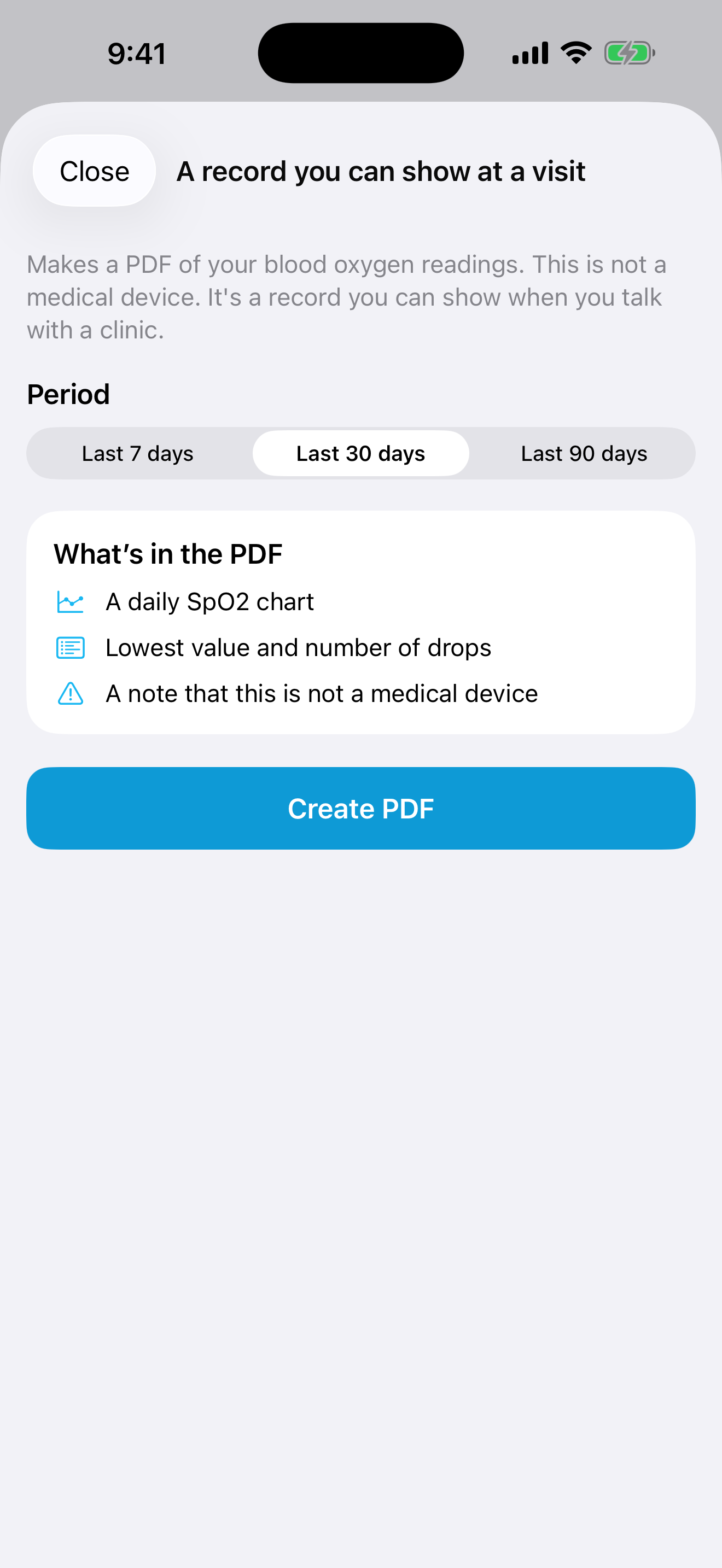
A record you can show at a visit
A PDF of your blood oxygen readings, ready to show at a clinic.
Features
Day-by-day timeline
Each day is a card with that day's chart and the hours you were asleep. Scroll back through earlier days on the same screen.
Blood oxygen record
See how SpO2 moved through the day. Status, Alert (below 90%), Check (90–94%), and lowest SpO2 are shown with their thresholds.
A record you can show at a visit
A PDF of your blood oxygen readings, ready to show at a clinic.
Notifications
If a reading goes below 90%, you get a note right away. If a night went below 90%, one note arrives after you wake up. Every Saturday at 23:00, a summary of the week arrives.
How it works
The moment you install Sanso, your Apple Watch's past SpO2 data
is already there — no setup period required.
Install the app
Download from the App Store.
Connect Apple Health
One tap at first launch. That's it.
Get a notification
Below 90% right away. One note after you wake if the night went below 90%. A weekly summary on Saturday at 23:00.
Supported devices
You need an Apple Watch that can record blood oxygen.
Sanso does not pair with the watch. It reads the SpO2 already stored in Apple Health.
Supported
- Apple Watch Series 6 or later
- Apple Watch Ultra
Not supported
- Apple Watch Series 5 and earlier
- Apple Watch SE (1st & 2nd generation)
* Some Apple Watch Series 9 and Ultra 2 models sold in the US after January 2024 have the blood oxygen feature disabled due to the Masimo patent dispute. Sanso requires a model with the blood oxygen feature enabled.
Pricing
Today, yesterday, and the day before are free. The monthly price is the one shown on the App Store.
FREE
$0
- ・Today, yesterday, and the day before
- ・Charts
- ・A note under 90%, one note after waking, and a Saturday 23:00 summary
Basic
$4.99/mo
Cancel anytime
- ・Every day included in Free
- ・Records from three days ago and earlier
- ・A longer view of the readings
- ・A record you can show at a visit
Why I built this

Blood oxygen in Apple Health sits several taps in.
The watch keeps recording. Reaching the list takes a few taps.
So I built Sanso, to put each day's summary on the first screen.
Minute-by-minute readings stay in Health. The account stores only that day's summary.
Is your oxygen enough?
Available now on the App Store.
If you have an Apple Watch, you can start today.
Sanso is a wellness app, not a medical device. It is not intended to diagnose, treat, or screen for any medical condition.
If you notice concerning patterns in your data, please consult a healthcare professional.